Why Excel Is Used For Job Definition In An ETL Tool?
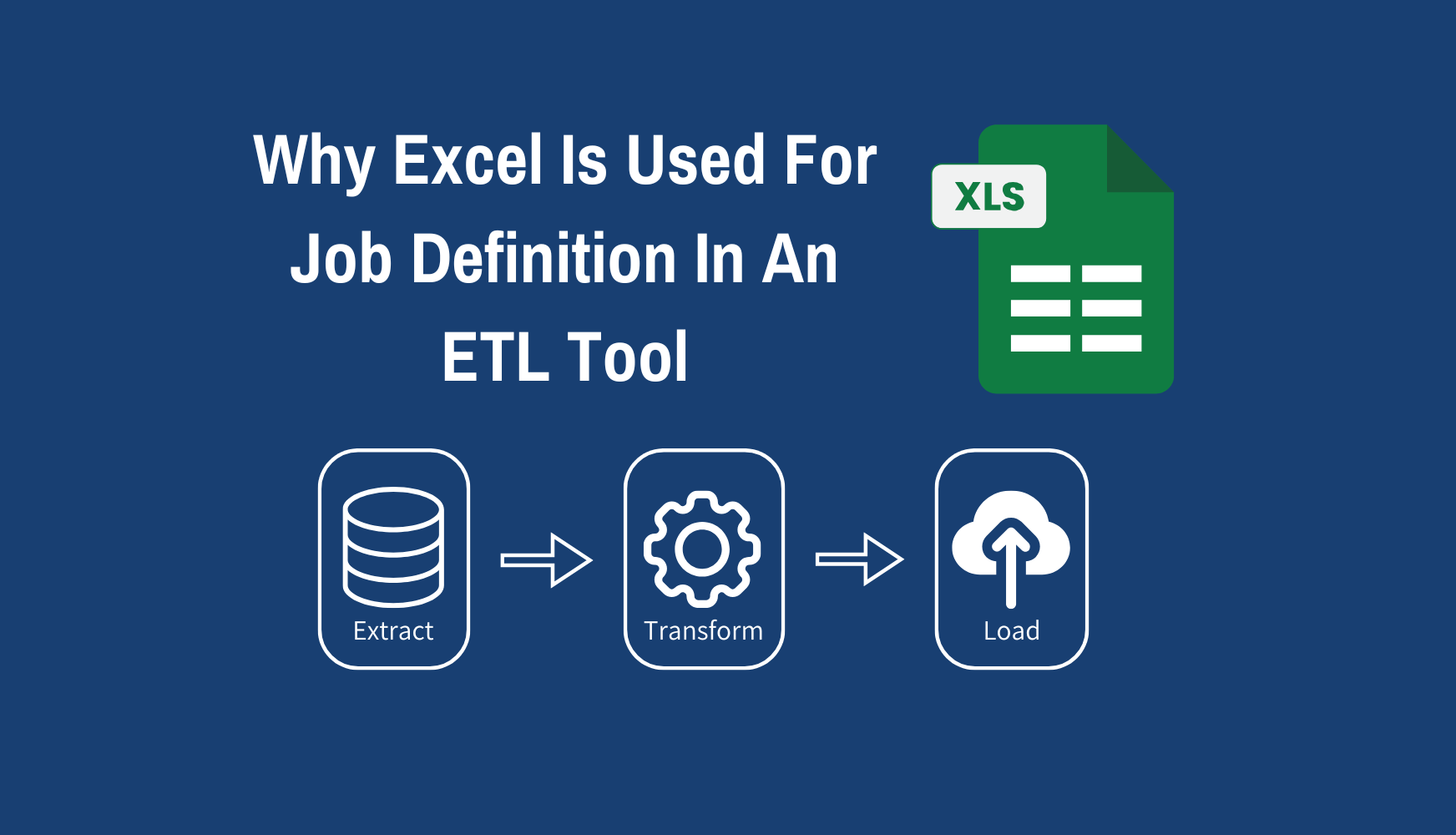
ExcelTL takes a unique approach that sets it apart from conventional ETL tools. While most ETL tools allow users to define jobs in a GUI-based workspace, ExcelTL enables job definition directly in Excel — a tool familiar to almost everyone. In this article, we explain why Excel is used for job definition in an ETL tool and the reasoning behind this approach.
Trial Version: https://www.furucrm.com/exceltl/en#contact
User Manual: https://www.furucrm.com/exceltl/usermanual
The Evolution of ETL Tools and the Challenge of Job Definition
Nine months ago, I began supporting a large-scale project. The work involved not only customer management and service systems but also integration with core systems, requiring the development of dozens of ETL batch jobs and APIs. With over 18 years of experience in the software industry, I have been engaged in system integration and batch job development using a variety of middleware tools such as DataSpider, MuleSoft, Talend, and even custom-built frameworks.
Through these experiences, I came to recognize several challenges in how traditional ETL tools define jobs.
Challenges of Conventional ETL Tools
Many ETL tools provide a drag-and-drop GUI-based workspace for defining jobs (tasks). Users can visually connect data sources, targets, and transformation components to build workflows. While this method is intuitive and easy to understand at first glance, several issues arise when dealing with complex jobs:
-
GUI complexity: As the number of job components increases, organizing or rearranging them becomes difficult.
-
Lack of transparency in internal logic: When reviewing jobs, it is often hard to identify changes in internal logic at a glance, making the workflow context difficult to grasp.
-
Overcomplicated branches: As more conditional paths are added, the GUI becomes harder to interpret, resulting in visual clutter.
These limitations made me realize that GUI-based job definitions in ETL tools have fundamental constraints.
The Decision to Build My Own ETL Tool
More than ten years ago, I had the idea of developing my own ETL tool, but at that time, I gave up — it seemed impossible for one person to achieve. However, through my involvement in Vibe Coding, operational support, and integration projects, I became increasingly aware of how difficult job definition really is. That recognition reignited my motivation to create a custom ETL tool from scratch.
Using GitHub Copilot, I spent an entire week designing the architecture and building a demo (mock) version. The biggest challenge during this phase was GUI design. I considered building a drag-and-drop interface like conventional ETL tools, but it would have required enormous development effort and extensive testing. Additionally, such a GUI would be difficult for generative AI to interpret accurately. For these reasons, I decided to abandon the idea of a traditional GUI-based design.
The ExcelTL Approach: Why Excel Is the Right Tool for Job Definition
In the end, I reached the conclusion that Excel is the ideal tool for defining ETL jobs. Here are the main reasons behind this decision:
ExcelTL Example: https://youtu.be/YRRF5gN-ix8
1. Familiarity and Accessibility
Excel is a tool that is universally recognized and widely used — not only by engineers but by almost all business users. Because it is so familiar, anyone can easily define jobs without special training or technical background.
2. Natural Structural Representation
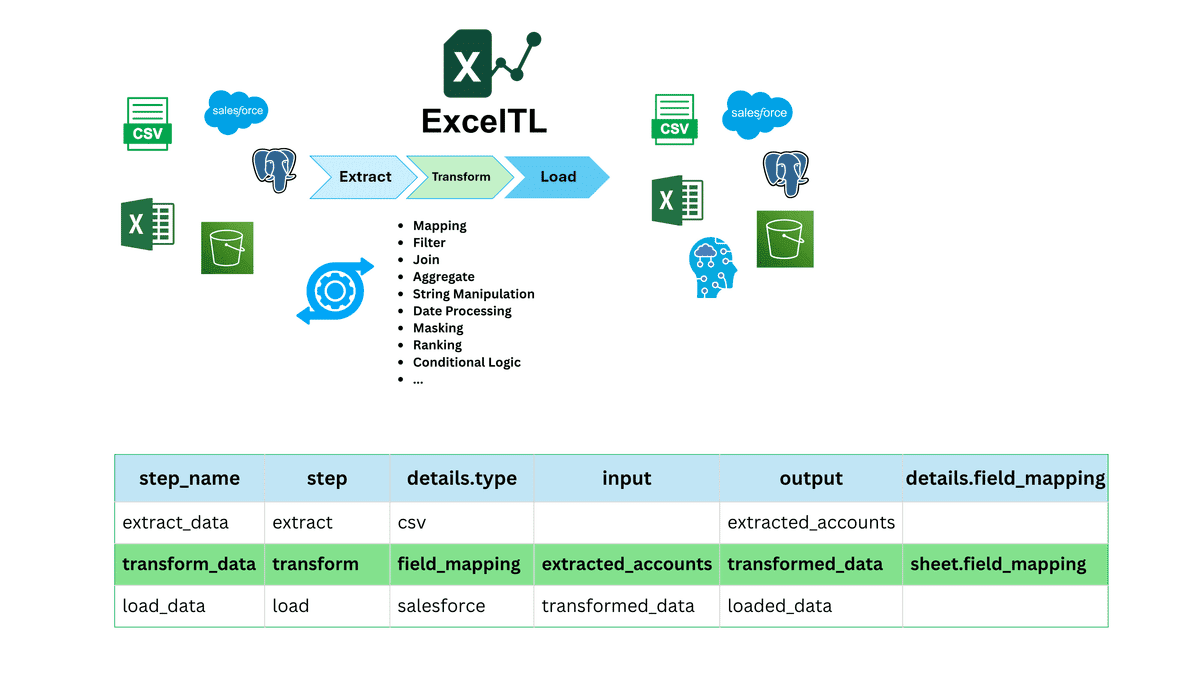
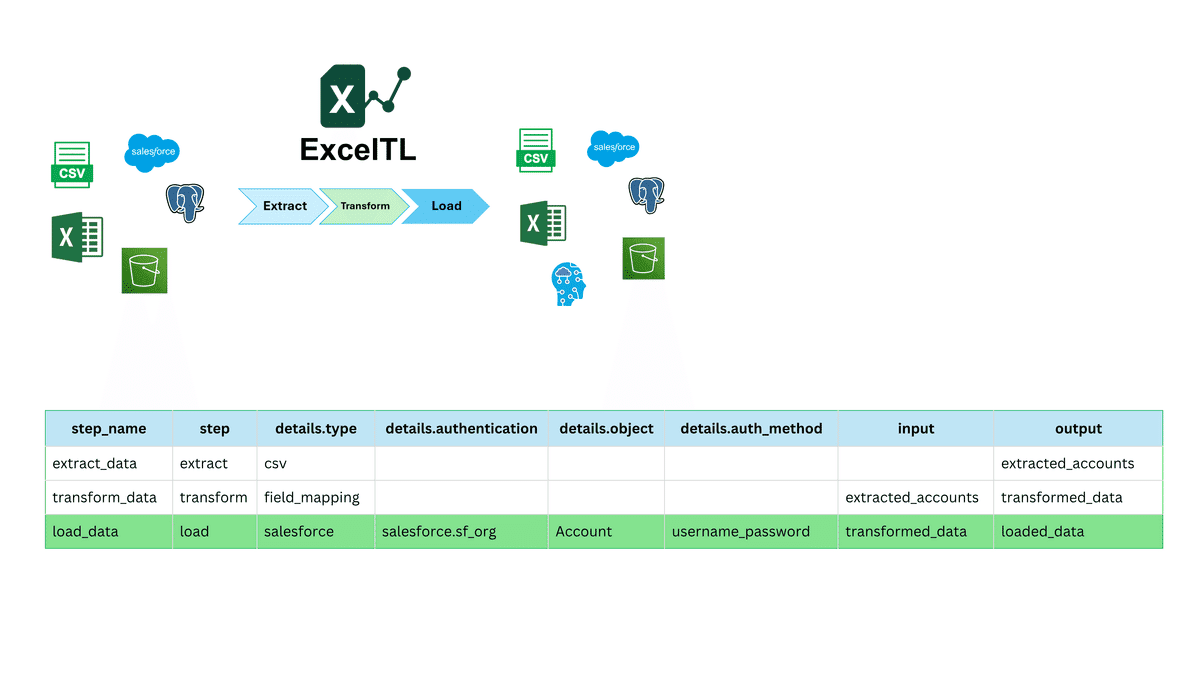
ETL job definitions describe what each step should do. Excel’s tabular structure (rows and columns) is naturally suited for representing such step-by-step processes. It provides a clear, intuitive view that allows users to organize and understand even complex workflows easily.
3. Easy Interpretation by AI
Excel’s structured format is also highly readable for AI. In ExcelTL, users simply enter job definitions in Excel, and the AI assistant interprets this content to automatically generate executable jobs. This approach enables users to build ETL processes without deep technical expertise.
4. Low Development Cost
By leveraging Excel, the cost of developing a separate GUI or specialized tool for job definition is significantly reduced. Since Excel is a general-purpose platform, it also allows for high scalability and easy integration with other tools in the future.
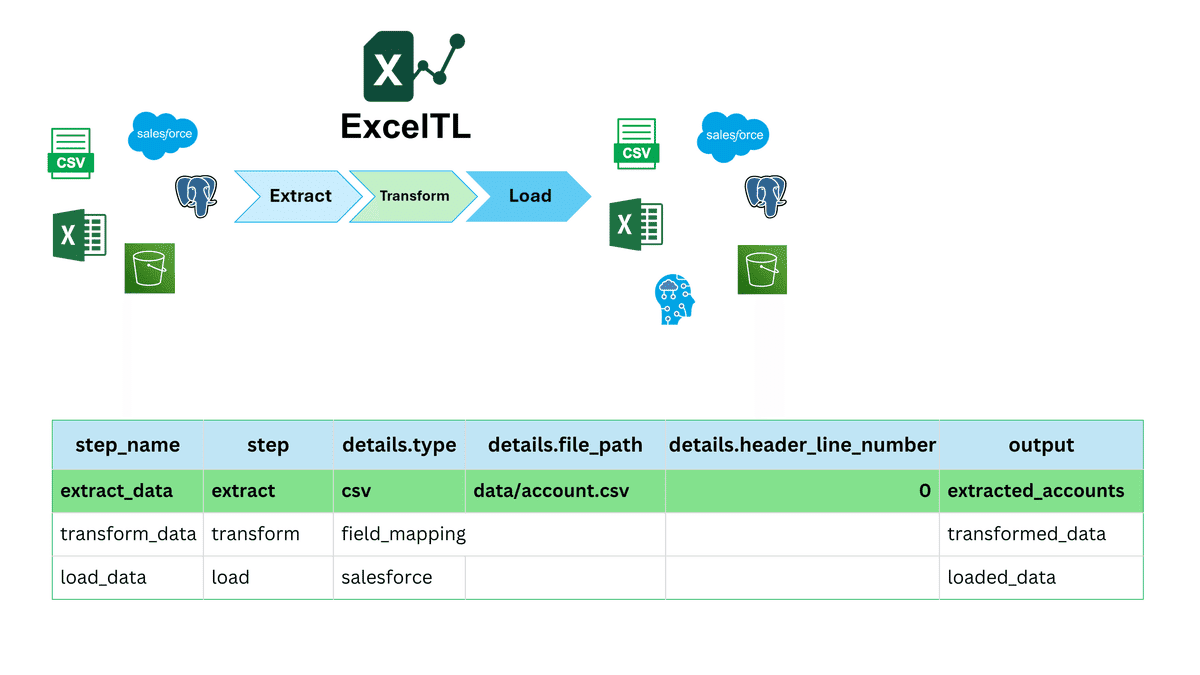
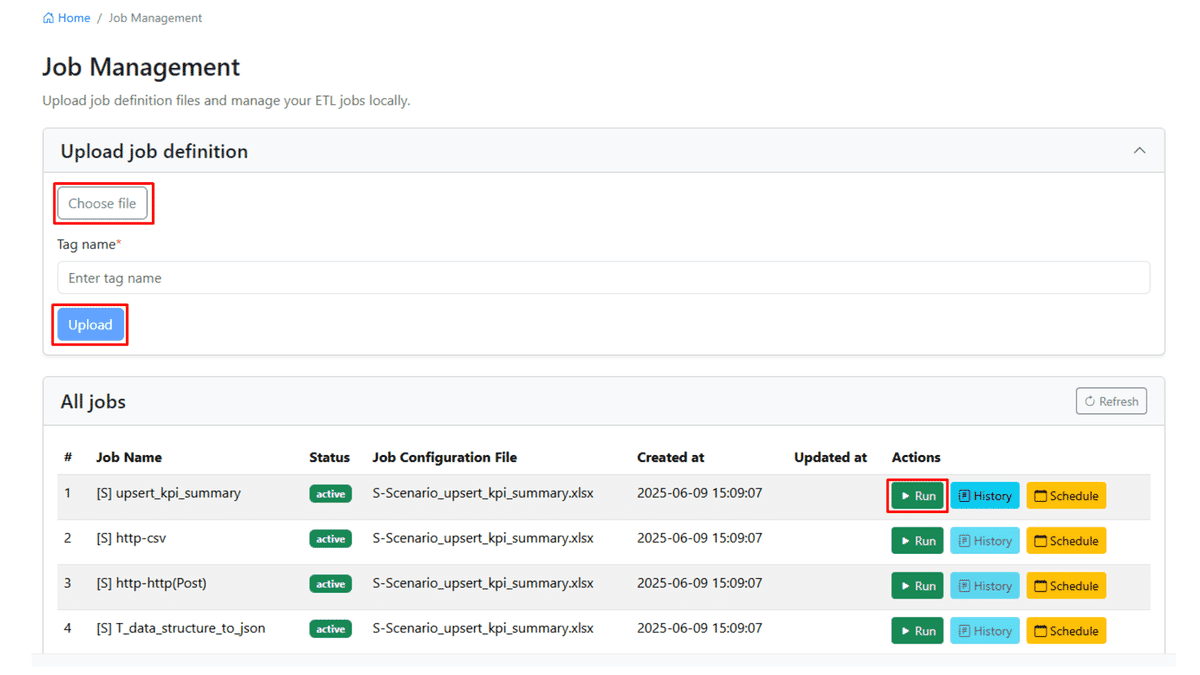
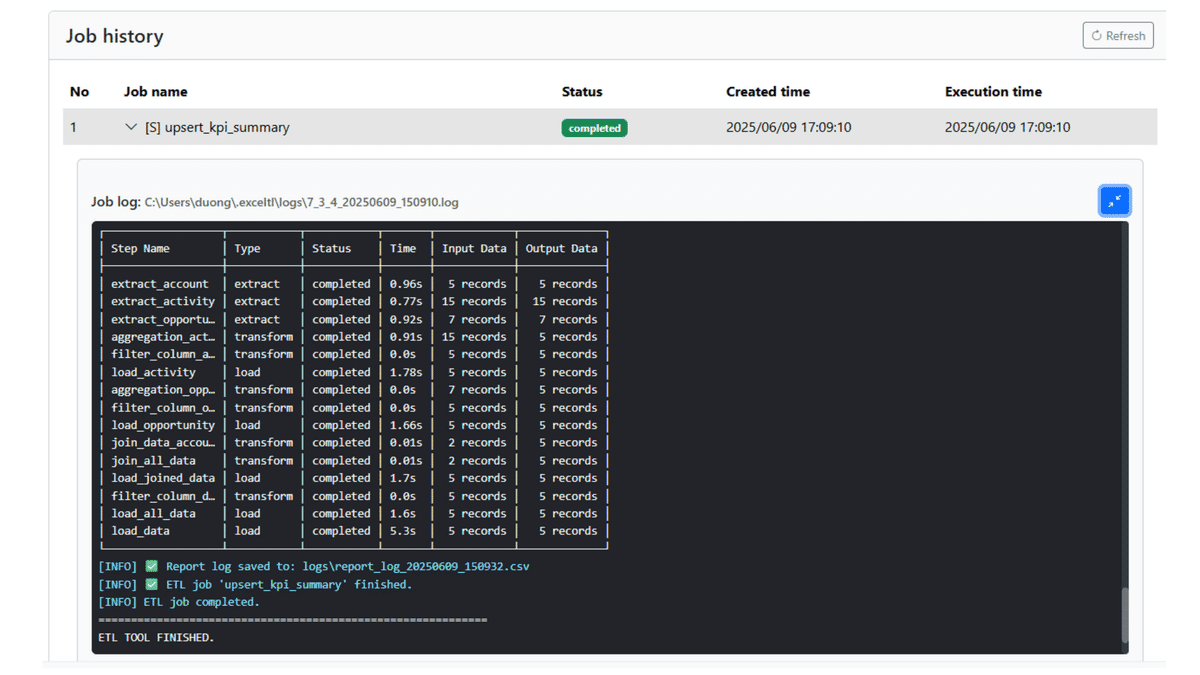
Image of Job Definition
The following screenshots illustrate what job definition looks like in ExcelTL.
Conclusion
ExcelTL adopts an innovative approach by replacing traditional GUI-based job definition with Excel, a tool anyone can use intuitively. This allows users to define ETL jobs naturally, while AI automatically generates and executes the corresponding workflows. This method proves especially effective for complex processes and holds great potential for further streamlining business operations in the future.
Related Articles